PAUL BERG
Paul Berg
Product Designer

Redesigning the workflow for testing apps in Dropsource

Company
Dropsource
Industry
Dev Tools
Deliverable
Feature
Timeframe
2018
My Contributions
UX Design, UI Design, Interaction Design, Solution Discovery, User Research & Testing
Team
1 Designer/Product Manager, 1 Developer

Context

Making changes in code and then previewing those changes is a constant feedback loop performed by developers when building and testing software. Unfortunately, this is not a straightforward process when building a mobile app.

To test a mobile app:

  1. The app has to be compiled so it can be opened in a simulator or on a mobile device. Compiling is simply the process of converting the source code written by a developer and turning it into machine code that a computer can understand.
  2. The app has to be signed with a key provided by Apple or Google. Details withstanding, this is for security and transparency purposes.
  3. The app has to be compiled specifically for iOS or Android, they can't run on both.

Accounting for this reality, we had to provide a way for our users to compile, sign, and test their app.

Userflow and mockups of the original app testing workflow.
The original app testing workflow

As more users started using our product it became clear that this workflow had usability issues we needed to address.

Research

Before jumping in and designing screens I conducted interviews, with both new and existing users, to understand the biggest pain points with our original design.
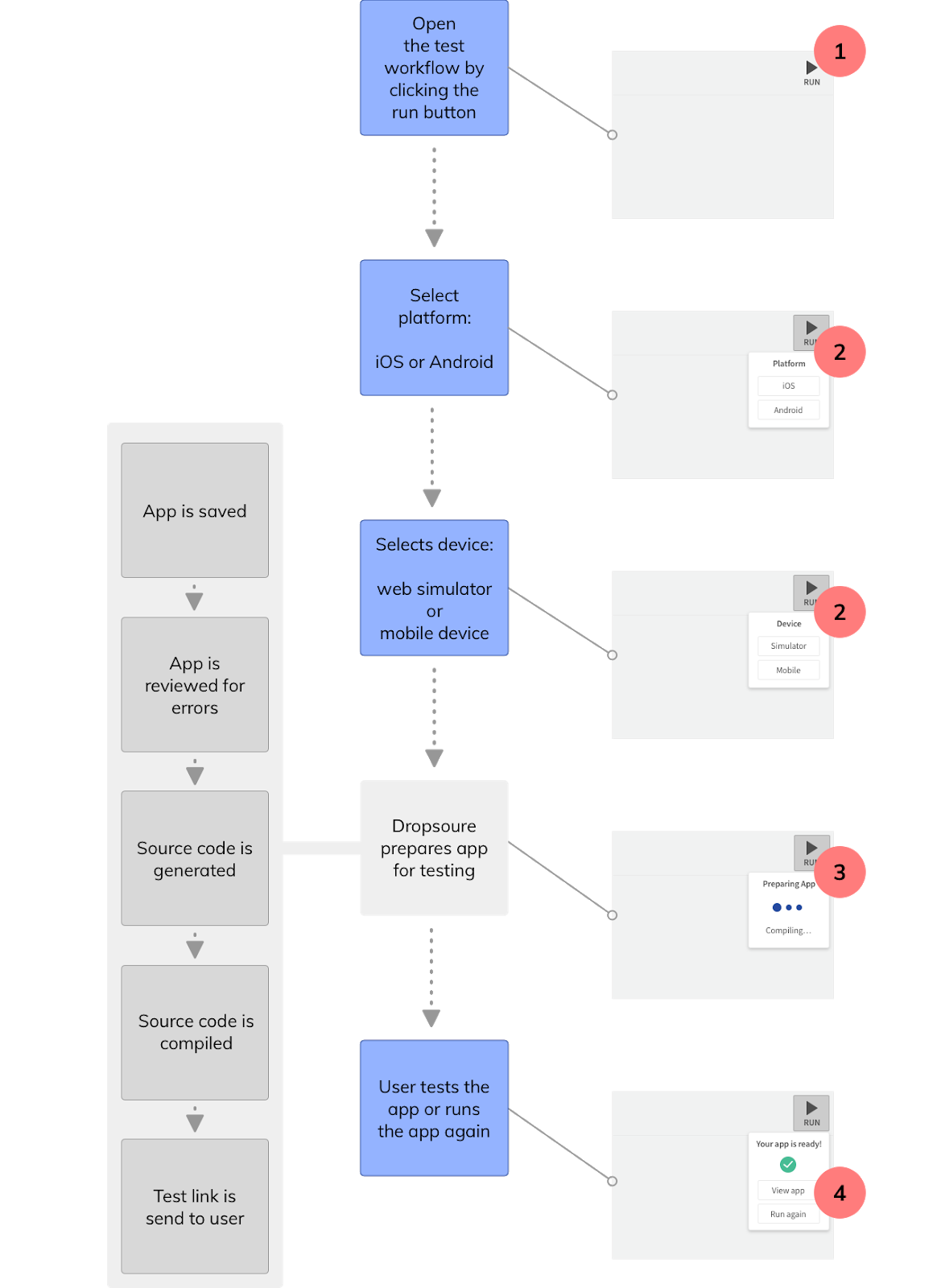
Userflow and mockups of the original app testing workflow with problem areas highlighted.
Problem areas with the original workflow

I discovered four main problems:

  1. Non-technical users were confused by the term "Run".
  2. Testing an app was a common action that required too many clicks, especially for users who rarely changed their selections.
  3. A clear indication of progress was not provided as an app was generated and compiled, a process that could take a few minutes.
  4. Generating the source code for an app creates an artifact called a "build". Users wanted to be able to access past builds so they didn't have to regenerate the source code to test their app.

Ideation

I thought of many ways to address these problems so I sketched them in my notebook to see if any stood out or had shortcomings.
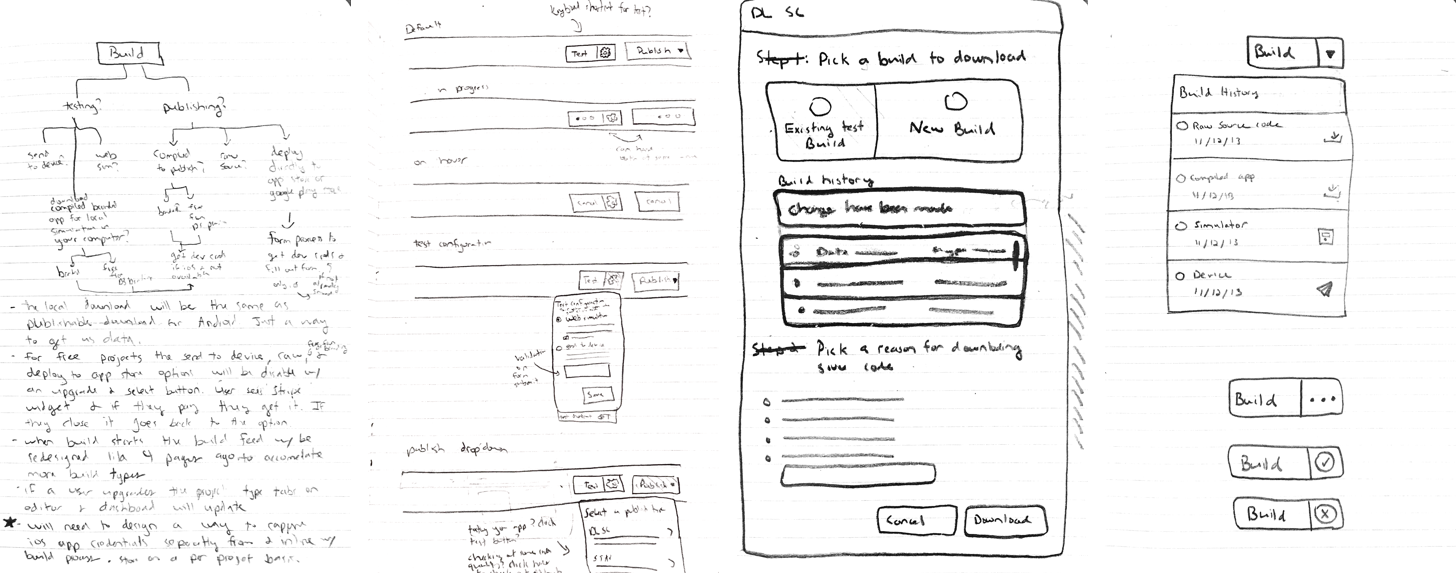
Sketches of potential solutions from my notebook.
Sketches of possible solutions

After a couple days I came up with a few good ideas that I combined to create a new workflow and mockup.
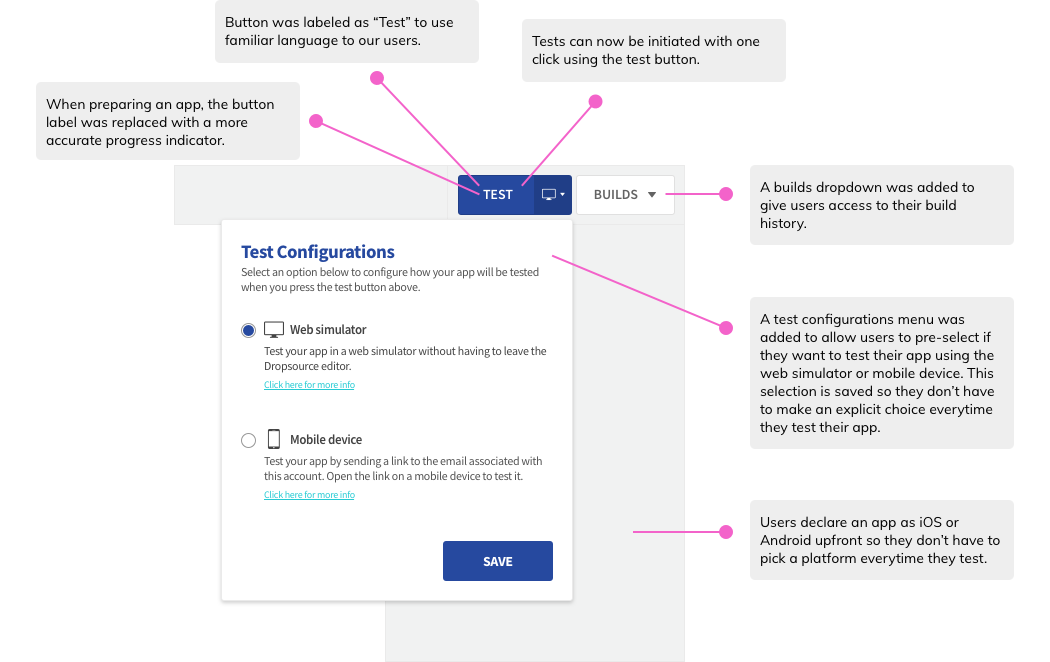
Mockup of new app testing workflow with descriptions of how it solves the discovered problems.
Mockup of new app testing workflow with problem areas addressed

User Testing

I contacted the users who were interviewed earlier to schedule a follow up user test. For the test, I created a clickable prototype and asked them to complete a series of tasks. The feedback was very positive so I shared it with the team and prepared the redesign for development.
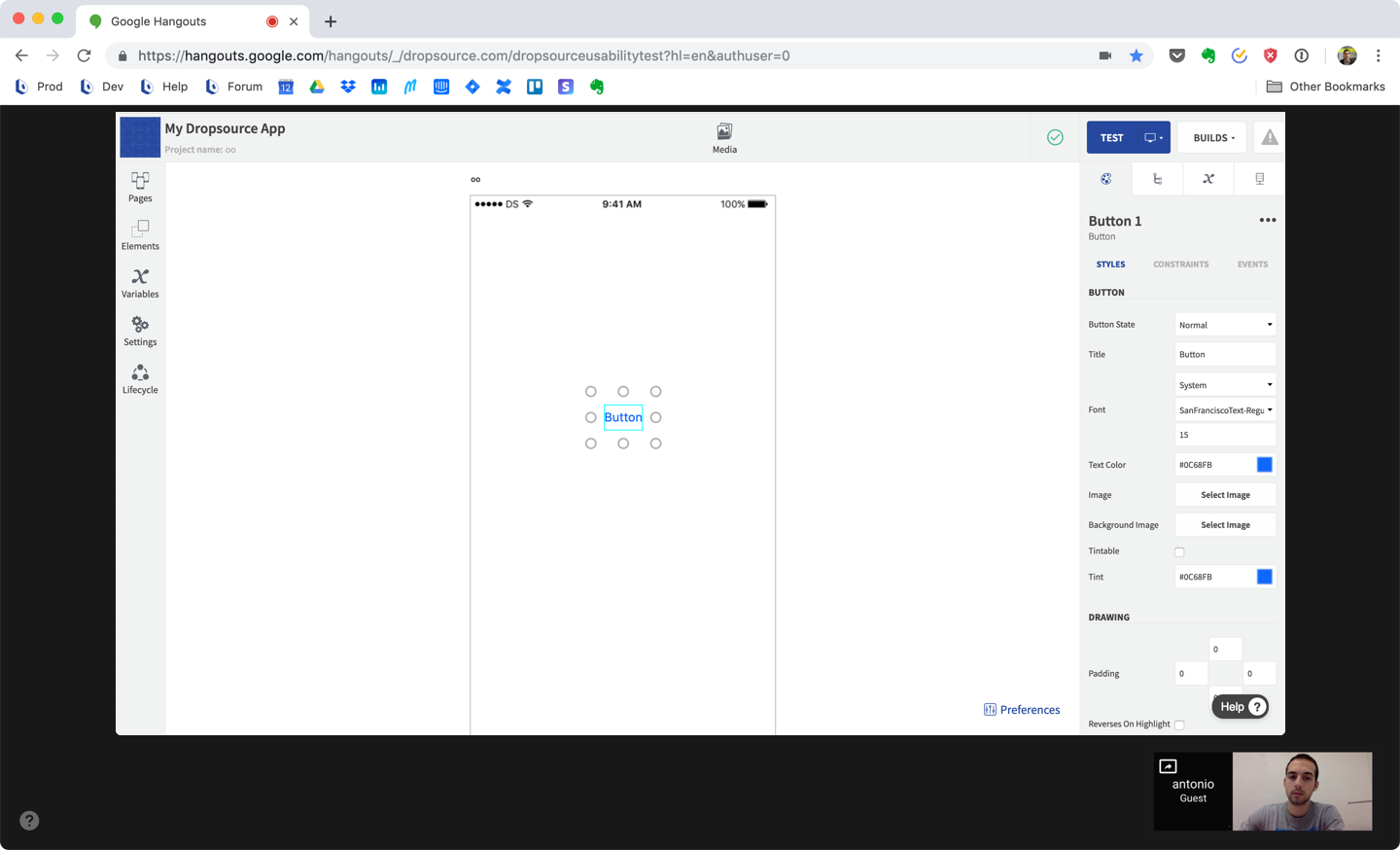
Moderated user test for new app testing flow

Outcome

Our goal for this redesign was to reduce the friction associated with testing apps and increase testing activity in our user base. To track this we set up funnels and metrics in our analytics tool and watched user behavior after we released the feature. After a couple weeks, the numbers proved our goals were met.
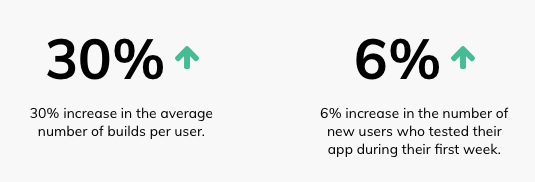
Graphic of the success metrics from our analytics dashboard. 30% increase in average number of builds per user and 6% increase in the number of new users who tested their app during their first week.
Summary of metrics from our product analytics